Edu Schedule
A university timetable bot for Telegram: data from the university API, caching and fuzzy group search. 1,100+ active users in a semester.
Stack
- Python
- aiogram
- SQLite
- nginx
Problem
At the time the timetable was published to students as a PDF. Checking your classes meant finding the right document, locating your group inside it, working out whether it was an odd or an even week and reading a table on a phone. The bot cut that down to a single button press, and took its data straight from the university API.
Solution
The bot pulls the timetable from the university API, validates and caches it, and returns the classes for any day, taking odd and even weeks and each group's own class times into account. Groups are chosen by fuzzy match on the name: a mistyped entry brings back close matches, and the user picks the right one.
Architecture
University API
The current timetable comes from the official API
Validation
Data is checked for correctness and completeness
Formatting
Normalised for display
Cache
Kept for fast replies and less load on the API
Bot reply
Response with the current timetable
Refreshed every 10 minutes
The timetable stays current
Key technical decisions
- A cache between the bot and the university API: identical requests do not go out twice, which makes replies faster and takes load off the source.
- Group lookup by Levenshtein distance: a loose or mistyped entry brings back the closest names, and the user picks the right one.
The media below comes from the product itself, so interface text and any audio are in Russian.
Fetching the data
The bot pulls the current timetable from the university API automatically. The data is checked for correctness and completeness, normalised and cached, which takes load off the API and speeds up replies.
Choosing a group
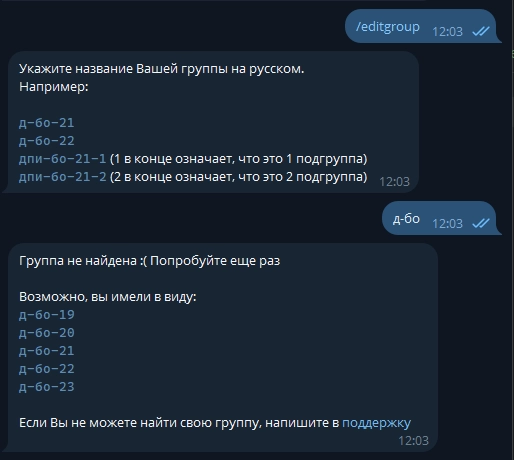
On first run the bot asks for the group name. If the student makes a typo or enters it loosely, the bot shows the closest matches, comparing names by Levenshtein distance, and the right one can be picked straight from them. The group can be changed at any time from the menu or by entering a new name.
Menu and the next few days
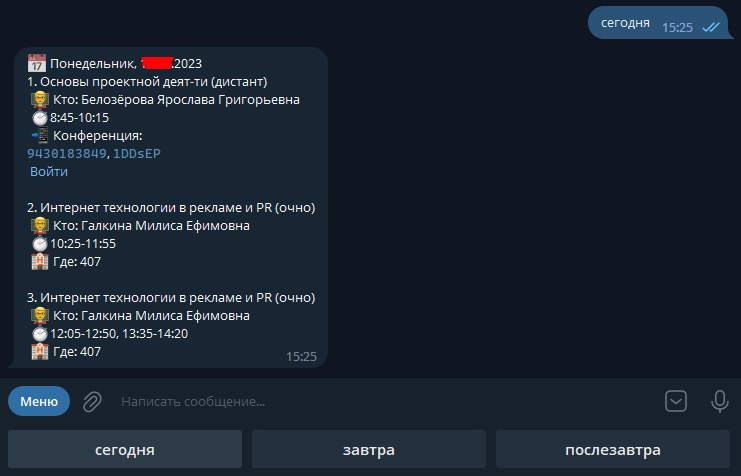
Once a group is chosen, the menu puts the main actions one tap away. The Today, Tomorrow and Day after tomorrow buttons collect that day’s classes into a single message. If a class is held online on Zoom, the bot adds the meeting details and a Join button, so connecting takes one tap and no copying by hand.
Days of the week
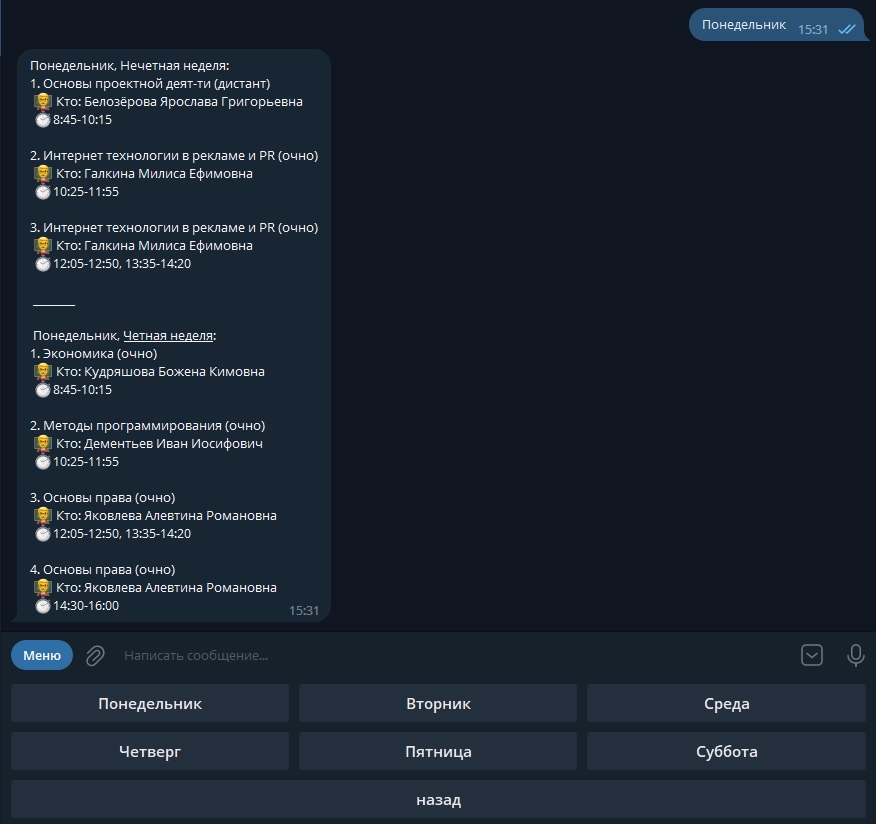
For a chosen weekday the bot shows both the even and the odd week in one message. It works out from the calendar which week is running now and underlines the one that applies to the next occurrence of that day, so it is obvious which of the two applies.
Calendar
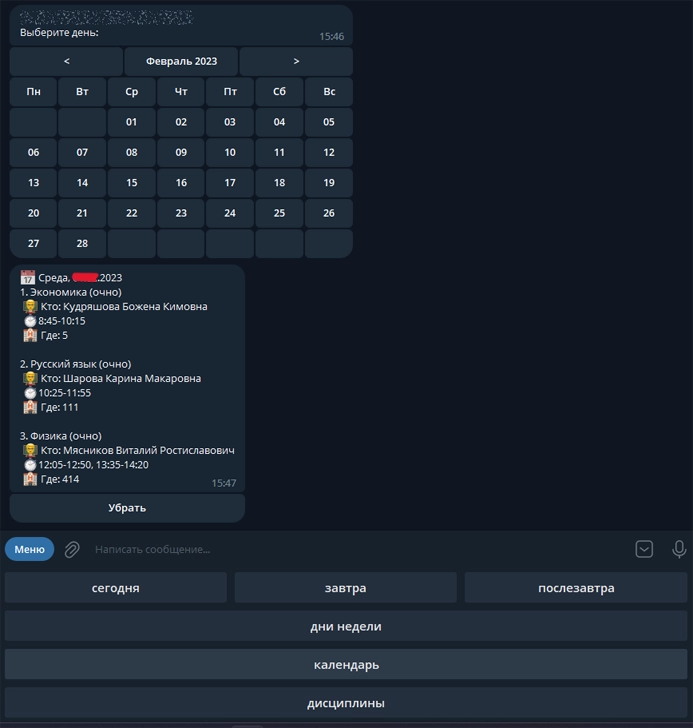
The calendar can be paged through by month to pick a specific date, and the bot shows that day’s classes right away. A Dismiss button removes the calendar message so it does not pile up in the chat.
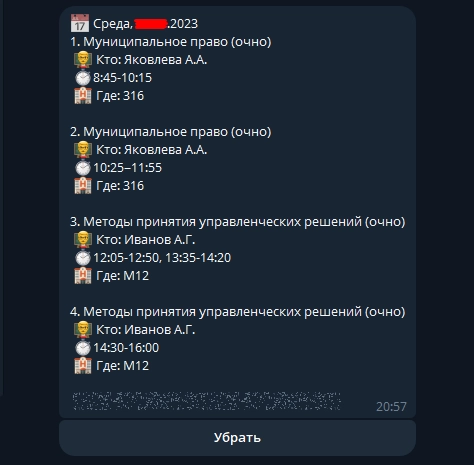
Class times
Class times depend on the group, so the bot picks the right class times for the chosen group and applies it to that day’s classes, allowing for breaks, lunch and tutor hours where they exist.
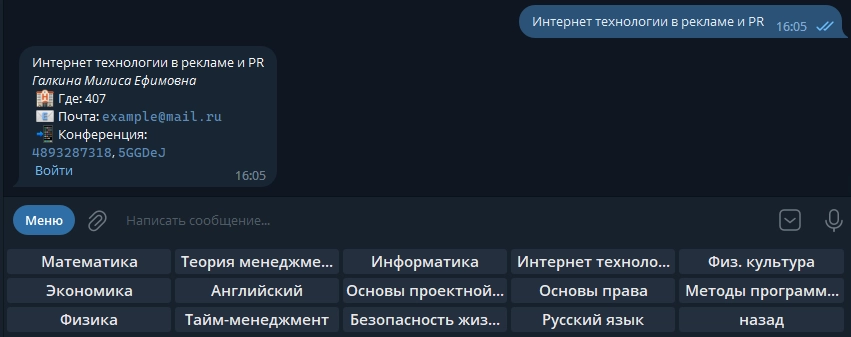
Subject details
A separate section lists all of the student’s subjects. Every name is tappable: it opens a card with the lecturer’s full name, the rooms, their email and the Zoom details.
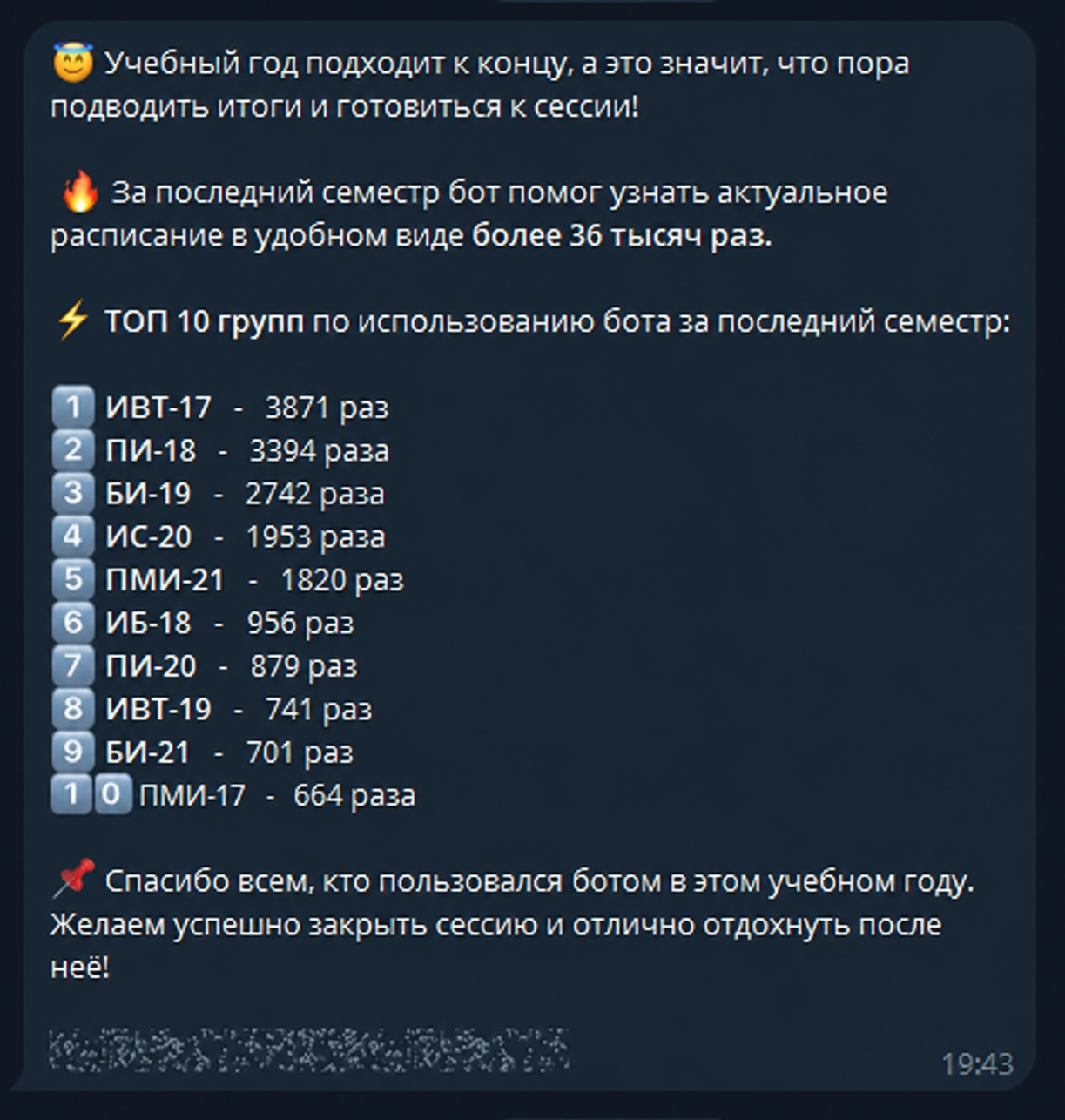
Broadcasts
The bot was used to send important messages to students, so they could be told quickly about timetable changes, announcements and other news. It served not only as a timetable reference but also as a quick way to reach them. Summary messages went through it too. At the end of the term, for instance, the bot sent out usage statistics and a list of the most active groups.
Results
- Over a semester students opened the timetable through the bot 36,000+ times, with 1,100+ active users.
- Caching reduced repeat requests to the university API and made the bot respond faster.
Metrics
- timetable views per semester
- 36 000+
- active users
- 1 100+